Having your list just so can help you keep organized, productive, and stress-free on top of it all. However, sometimes keeping your list organized can feel like a job in and of itself. This week’s tip comes from martingchapman, who lays out a straightforward setup using just dates
Using iCalendar is a great way to keep track of your tasks in Google Calendar, but once they are completed your upcoming schedule clears. hashnuke liked the idea of keeping track of completed tasks too, so this week’s tip is a novel approach using the IFTTT integration to tie
Keeping track of your vacation days and appointments for your job can feel like its own job some days! This week’s tip, shared by describer99, suggests keeping track of them with tasks for each day, and a quick-search Smart List that pulls them all together.
Sometimes I need
When you’re planning your week, sometimes due dates alone are enough to fill your plate, but other times you want to take on some more. This week’s tip comes from tallnobby, who has a great example of a way to bring in some extra tasks to have everything
Dictating tasks with Siri is exceedingly convenient, but can disrupt your carefully managed list of tasks. This week’s tip, shared by cnolsen, suggests catching those tasks in a Smart List so you can add any other properties as needed before moving on with your day.
I’m totally addicted
New Year’s resolutions can be really exciting, but may seem so open-ended that they become daunting. This week’s tip, shared by rdseabrook, takes the simple act of of completing your resolution tasks and turns it into a way to know where you are now so you can
Keeping a reading habit can be a lot of effort these days—keeping a book list, coming across many sources online, with many ways to save articles. This week’s tip comes from jackiey99, who suggests keeping separate lists for the various things you want to read, and then pulling
If you’re committed to avoiding due dates, how do you prioritize what to actually work on on any given day? This week’s tip comes from robadsen, who recommends a placeholder task to keep things separated. That way you have a great visual indicator just for you. :)
Due dates
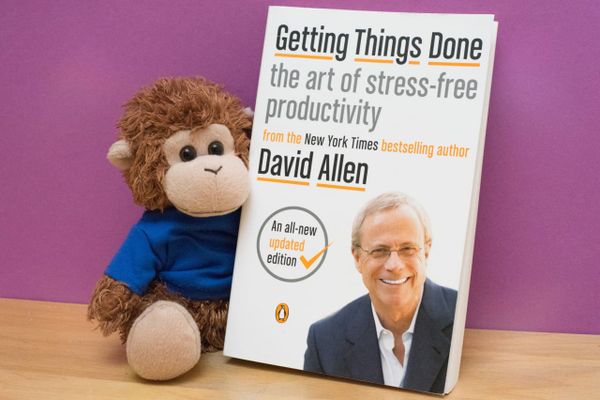
Getting Things Done (GTD) is a straightforward framework, but it often leads to interesting and different results. We love hearing about people’s setups, and this week we’re featuring dilanyan.maxim’s GTD setup which uses some clear rules and guidelines for setting up comprehensive organization without a lot
Keeping track of projects or keeping a record of tasks can be helpful, but how do you handle those tasks that don’t ultimately get completed? olliebaum’s tip may help you: keeping track of what you’re not doing can be helpful too!
If you’re anything like me,
Keeping a list can be reassuring, but it can sometimes get ahead of you. This week fant shares three tips for preserving some sanity and calm as you juggle all the things!
First Tip: The Sane Inbox
Derived from the principle of “Do it Tomorrow” by Mark Forster, and my
We are always interested in hearing about people’s setups for staying organized—there’s always quite a variety! This week’s tip from ioparaskev is an interesting workflow: it uses GTD and kanban principles to keep many things organized while also keeping a realistic perspective from week to week.