
New for Remember The Milk on iOS 13: Dark Mode and Shortcuts

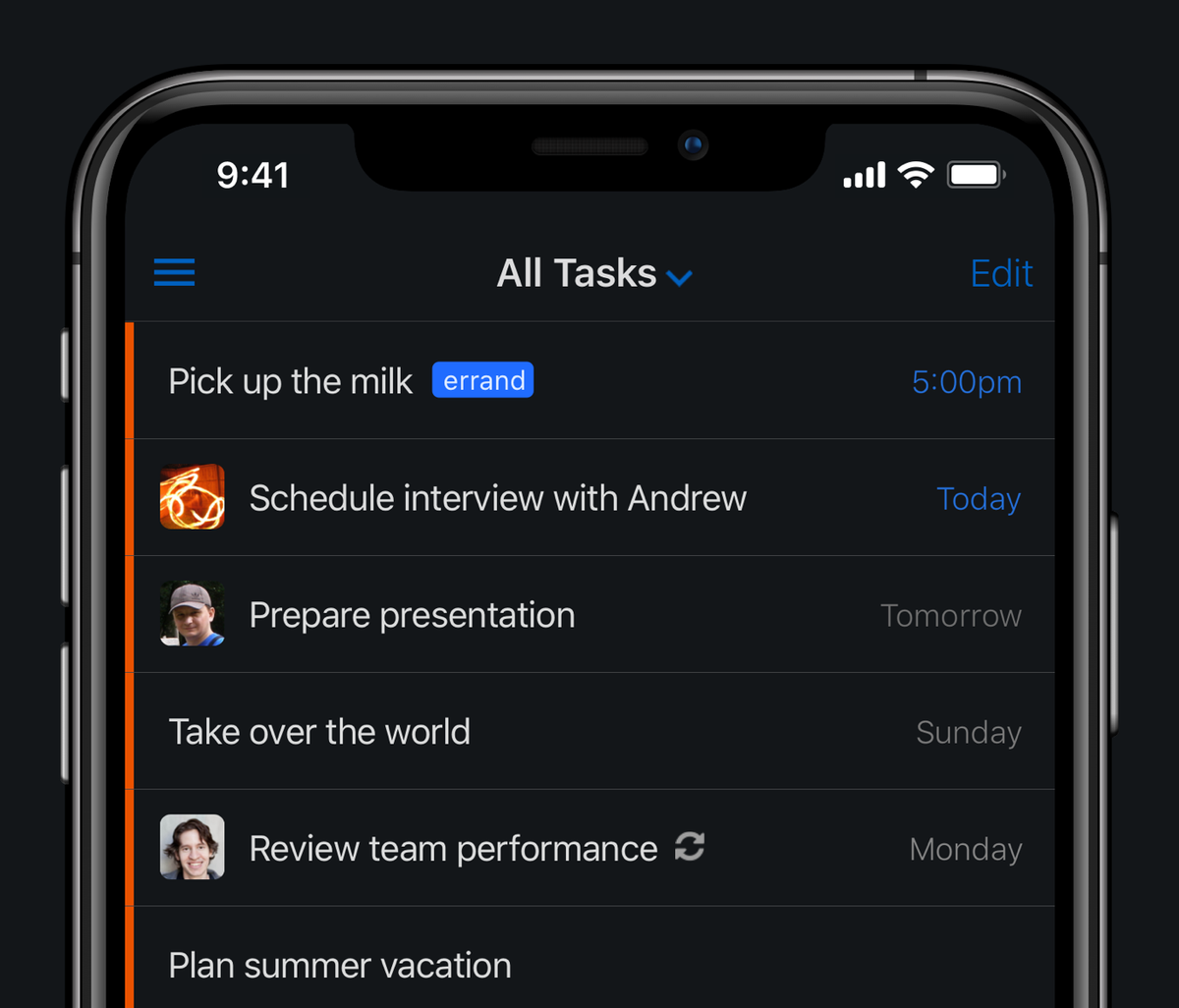
Bob T. Monkey is excited that our latest app update, made specially for iOS 13, is now available on the App Store. What’s in version 5.0.5, you ask? These are the big things that Bob said to tell you about:
Support for Dark Mode
Yes, our app now has support for Dark Mode on iOS 13. It’s particularly nice when you’re to-do listing late at night (great for those last minute task updates just before you fall asleep!), but Bob loves using Dark Mode during the day, too.
Not already using Dark Mode on your device? Just go to iOS Settings, tap “Display & Brightness”, and switch to the “Dark” appearance. The app will then automatically switch to Dark Mode.
Support for the Shortcuts app
The new Shortcuts app in iOS 13 lets you create shortcuts (funnily enough), which are a quick way to get things done with your apps — now including Remember The Milk. This feature is available exclusively for Remember The Milk Pro users.
The basics of shortcuts
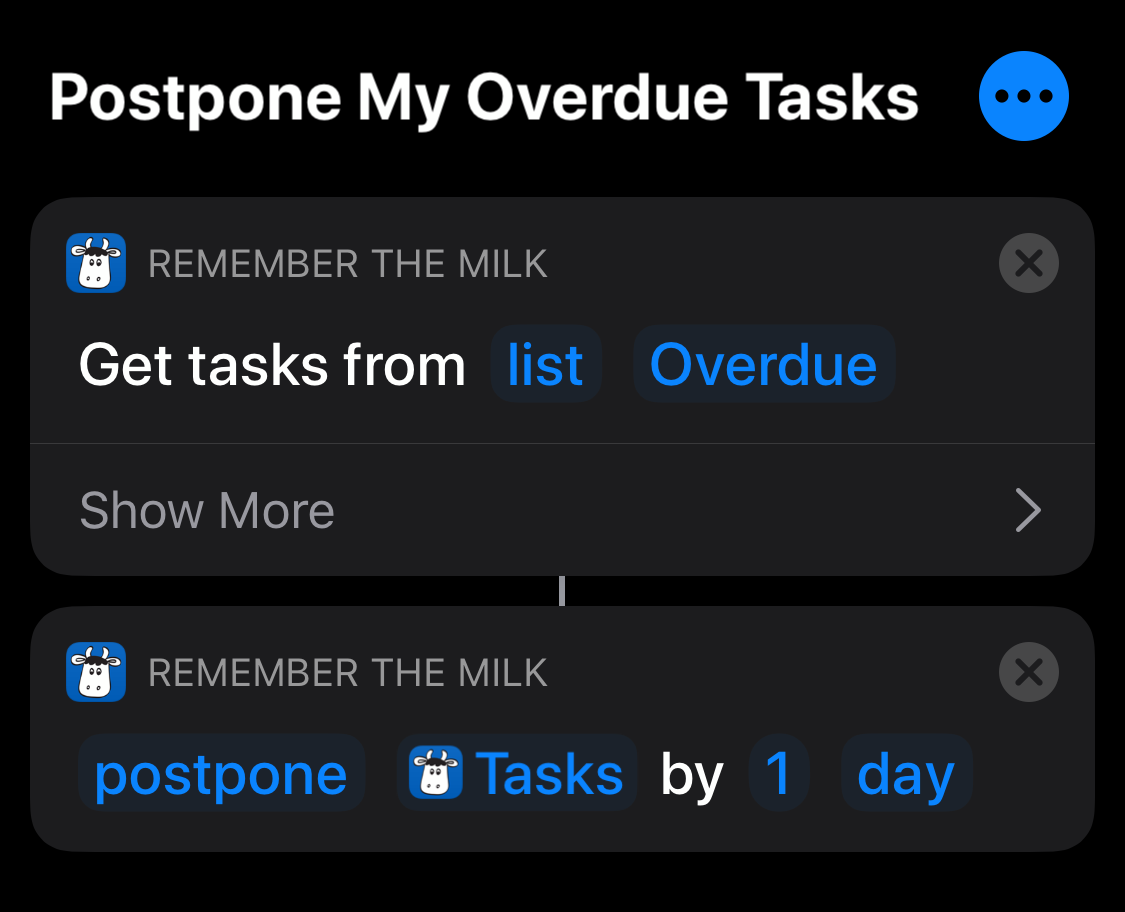
You can create your own shortcut that has multiple steps. For example, you might have a shortcut that adds a task to Remember The Milk, using the contents of the clipboard as the task name, and then sets the task’s due date to today. Or, a shortcut that grabs all the tasks from your “Overdue” Smart List, and postpones them (i.e., makes them due today).
Once you’ve created a shortcut, you can launch it manually in the Shortcuts app, from Today View on iOS, from your Home screen, or from the share sheet of another app. You can also ask Siri, as in, “Hey Siri, postpone my overdue tasks”. (Don’t worry, no judgment from Siri!)
Automate all the things
An especially powerful feature of the Shortcuts app is automation, which is a type of shortcut that’s triggered by an event. You can do things like:
- When my alarm is stopped, open my Today list.
- When I arrive at work, show me the tasks with an “Office” location.
- At 9:00 AM on Mondays, get all the tasks from my “Due This Week” Smart List, and make them high priority.
- At 9:00 AM on Mondays, get all the tasks from that match the search “priority:1 AND list:Work”, and give them all to Bob T. Monkey.
- At 12:00 AM every day, get all the tasks from my “Overdue” Smart List, and postpone them (i.e., make them due today).
- At 6:00 PM on Fridays, open my “Weekend” Smart List.
- When I open the Remember The Milk app, start playing my “Get Things Done” playlist in Apple Music.
Share your shortcut ideas
As you can see, you can get pretty creative with shortcuts! We’ve started a thread on our Tips & Tricks Forum for sharing shortcut ideas — we’d love to hear how you’re using this feature.
And more
Hmm, what else? We’ve also squished a whole bunch of miscellaneous bugs, so hopefully everything in the app is running a little more smoothly now. If you do encounter any bugs, or have any feedback for us, we’d love to hear from you! Please get in touch (you can find us on Twitter and Facebook, too).
From Bob and the team, we hope you like the update! :)



