
New for Remember The Milk on Android: Dark theme

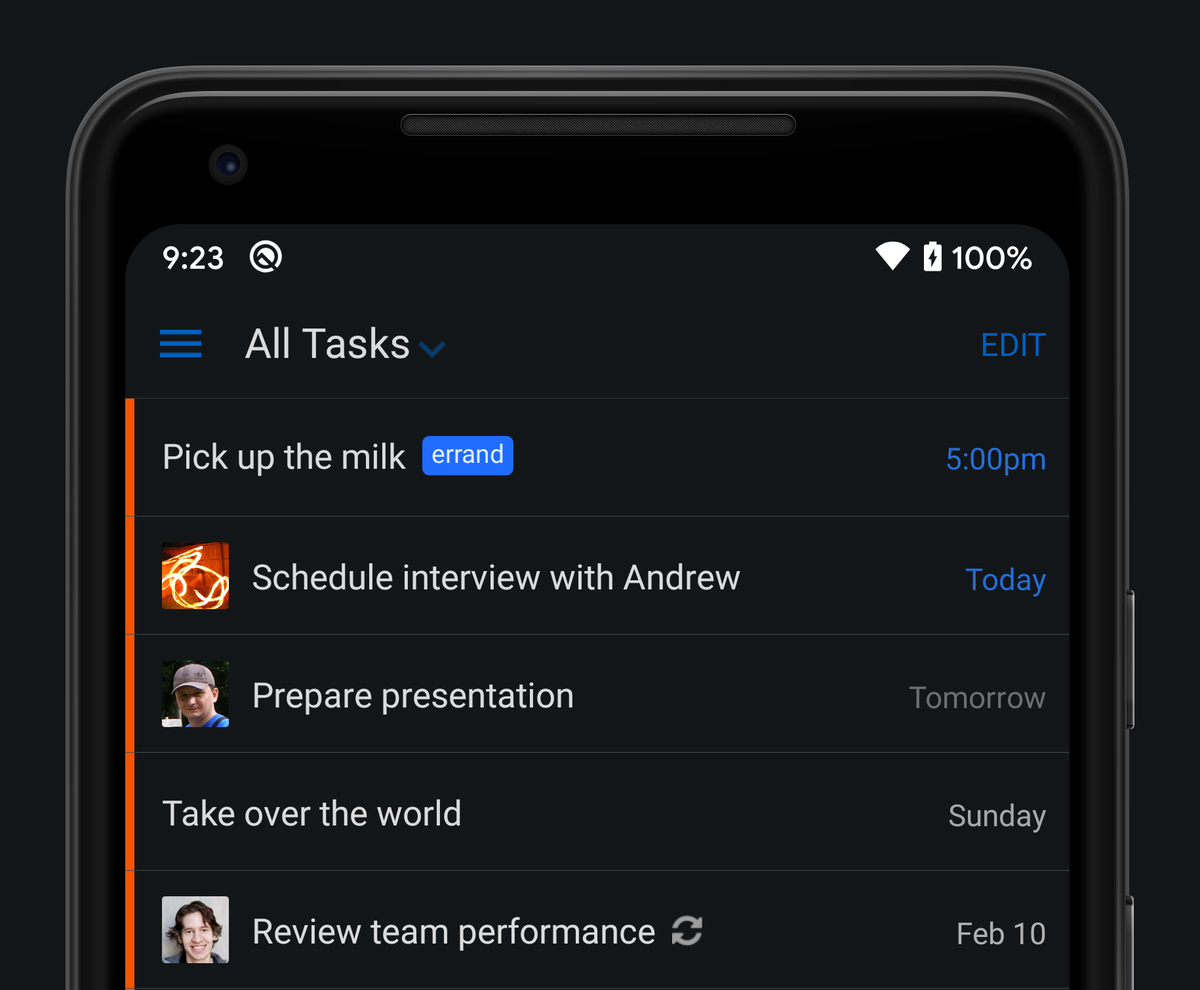
Bob T. Monkey is excited to announce that our latest Android app update includes support for Dark theme. It’s perfect for low-light environments (there’s always one task that Bob remembers just before he drifts off to sleep), and it’s great during the day, too. As a nice bonus, Dark theme can also help to reduce your device’s power usage.
Not already using Dark theme on your Android device? You can change your system setting by going to Settings -> Display -> Theme to enable Dark theme. The app will then automatically switch to Dark theme.
If you’d prefer to set Dark theme for the Remember The Milk app specifically, navigate to the Settings screen (by tapping its icon in the upper left in the app). Tap General, then Theme, and choose your desired option.
Here’s what else you’ll find in version 4.5.1:
- Improvement: Attaching a file from Google Drive should be much quicker. Also, you can now search for files in the current folder, hurray!
We hope you enjoy the update!



