
New for Pro: Introducing MilkSync


Ever since we launched Remember The Milk almost two years ago, we’ve been swamped with requests along the lines of: “Can RTM please sync with _____?” (fill in the blank with your favourite software or device). We’re thrilled to be launching something today that can finally make that happen.
Bob T. Monkey has been working diligently to develop MilkSync, our super cool task synchronization platform that allows RTM to talk to other software and devices. We’re excited to announce that MilkSync also happens to be the very first feature to be available exclusively to those special people who have Pro accounts. Don’t have a Pro account yet? Upgrade today! :)
While MilkSync will ultimately enable RTM to sync with all kinds of software and devices, today we’re launching the first application based on our sync platform: MilkSync for Windows Mobile. (Want to see RTM syncing with other stuff? Tell us what you’d like to see!)
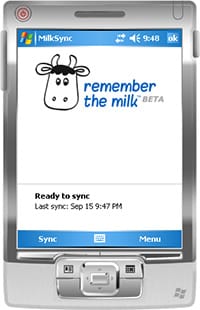
MilkSync for Windows Mobile
It was pretty tough to choose the first candidate for syncing, but we eventually decided on one of the most popular requests. If you’re lucky enough to own a Smartphone or PocketPC device that runs Windows Mobile (I’m not – I borrowed my sister’s to do our testing. Thanks Elise!), we’ve developed an application that will sync the task list on your device with Remember The Milk. Features include:
- Two way synchronization (or optionally RTM to device, or device to RTM)
- Over The Air (OTA) or cradle sync
- Scheduled sync (e.g., automatically sync every hour, or when the device is placed in cradle)
- Include all lists or specific lists from RTM in synchronization
- Windows Mobile 5 and 6 support
The application is currently available in English and Japanese, with more languages to come.
Ready to start syncing on Windows Mobile?
You’ll need a Pro account first, then head on over to the MilkSync page to learn how to download and install MilkSync for your Windows Mobile device.



