
Introducing Remember The Milk reminders for Mountain Lion (and browsers, too!)

When we upgraded to OS X Mountain Lion yesterday we had two thoughts: 1) Notification Center is awesome! and, 2) If we could show Remember The Milk reminders in Notification Center, wouldn’t it be even awesomer? One of our engineers proceeded to consume a ridiculous amount of caffeine, and this is the result:
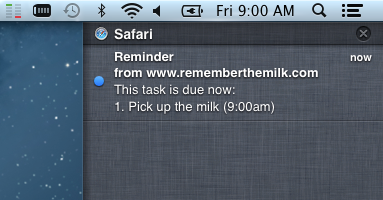
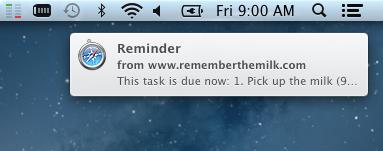
Not using Mountain Lion? Get notifications with Chrome and Safari, too
The desktop notifications fun isn’t limited to Mountain Lion! If you’re using Chrome 20 or Safari 6 (or later, if you’re reading this from the future), your browser now supports desktop notifications for Remember The Milk:
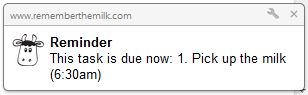
Enabling desktop notifications
Just log in and go to the ‘Settings’ screen in your account, then click the 'Reminders’ tab. You’ll see the new Desktop Notifications option; once you turn this 'on’, just follow the browser’s prompt to give Remember The Milk permission to send notifications.

Important note: Both Mountain Lion and Chrome/Safari desktop notifications require Remember The Milk to be running in your browser, but you always have it open in one of your tabs, right? Right?!
We hope you enjoy the notification-y goodness!



