
Featured integration: Rainlendar

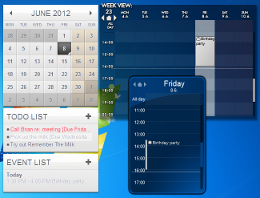
When it comes to your tasks, the balance between keeping them “in your face” and keeping them out of the way can be a tricky one: you don’t want to forget about them because they’re hidden from you, but you don’t want to see them so often that you start ignoring them. If you’re having trouble finding that balance, take a look at Rainlendar from Kimmo “Rainy” Pekkola. It’s a cross-platform calendar application which aims to keep your tasks and events accessible on your desktop at all times without being intrusive. To connect to Remember The Milk, you’ll need the Pro version of Rainlendar which is free to download and use, but will display “[UNREGISTERED]” in front of each of your tasks unless you purchase a license. One of the great things about Rainlendar is its very high degree of customization. An instance of Rainlendar is comprised of multiple components, each of which can be moved around the desktop or hidden independently. The available components include several different calendar views, as well as an Events list and a To Do list, among others. The look and feel of the components can be altered dramatically with some very cool skins, too. To help you keep organized, Rainlendar can contain multiple calendars, each with its own separate Events and To Do items. To create a new calendar that synchronizes with Remember The Milk, open Rainlendar’s Options screen, select Calendars, then click Add. You will then choose a list from your Remember The Milk account that will correspond to this calendar’s To Do list. Working with tasks from Remember The Milk is just like working with native Rainlendar To Do items. If you’re looking for more ways to connect with your Remember The Milk account, take a look at our Apps page!



