
Add your tasks faster than ever with Smart Add on the desktop

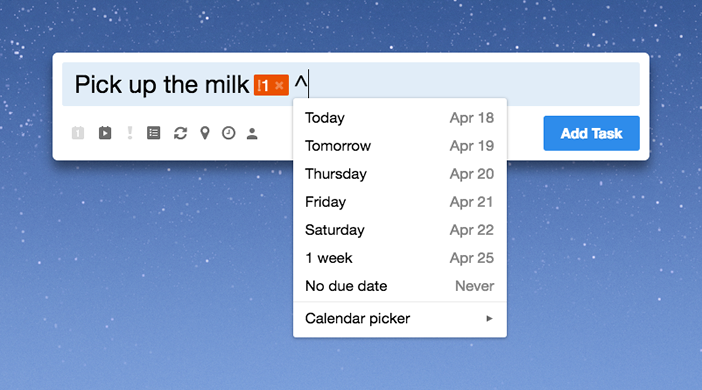
Adding tasks with Smart Add is super fast, but what if it could be even faster?
With the latest update to our apps for Mac, Windows1, and Linux2, you can add tasks faster than ever with Smart Add on the desktop. Just use a quick keyboard shortcut to bring up Smart Add wherever you are, and start adding!
The Smart Add Hotkeys on each platform are:
- Mac: ⌥ + ⌘ + M
- Windows: Ctrl + Alt + M
- Linux: Ctrl + Alt + M
Prefer a different keyboard shortcut? Head to ‘Account settings’ then ‘Desktop’ to change it. Alternatively, you can also access Smart Add by clicking on the cow icon in the menu bar (Mac), or right-clicking on the cow icon in the system tray (Windows and Linux).
Once you’re done typing your task, hit the Enter key to instantly add it. Want to keep adding more tasks? Press Shift + Enter (instead of just Enter), and Smart Add will stay on the screen, ready for you to add another task (or whole bunch of tasks!).
We hope you enjoy using Smart Add on the desktop! :)
1 Available on Windows 10 only at this time (sorry to those on other versions!).
2 Please see the instructions for enabling Smart Add for the Linux app.



